Chap. 3-21: Using AI to Edit Jewellery Images
What Is a “Better” Image?
Photographing jewellery has always been an important—and difficult—part of my practice.
A finished piece cannot simply stay on my studio bench. It needs to become an image for my website, Instagram, gallery submissions, exhibitions and archive.
But jewellery is surprisingly difficult to photograph. Reflective silver catches everything around it. Blackened metal can become too dark. Stones can lose their colour and sparkle. White backgrounds are rarely perfectly white. Even a small shadow, fingerprint or change of angle can completely alter how the work looks.
If I am being completely honest, these days I use AI on almost every jewellery photograph I take.
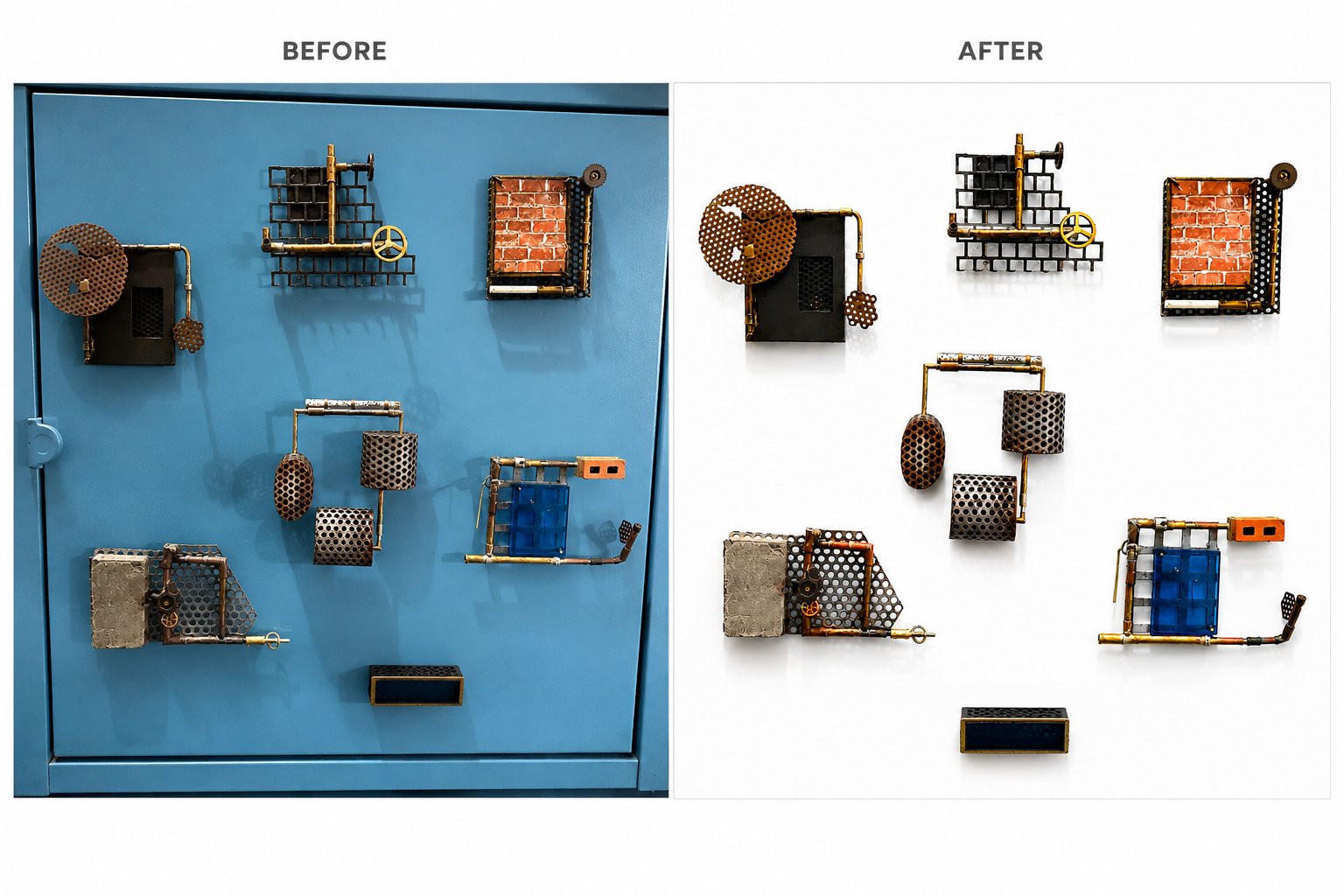
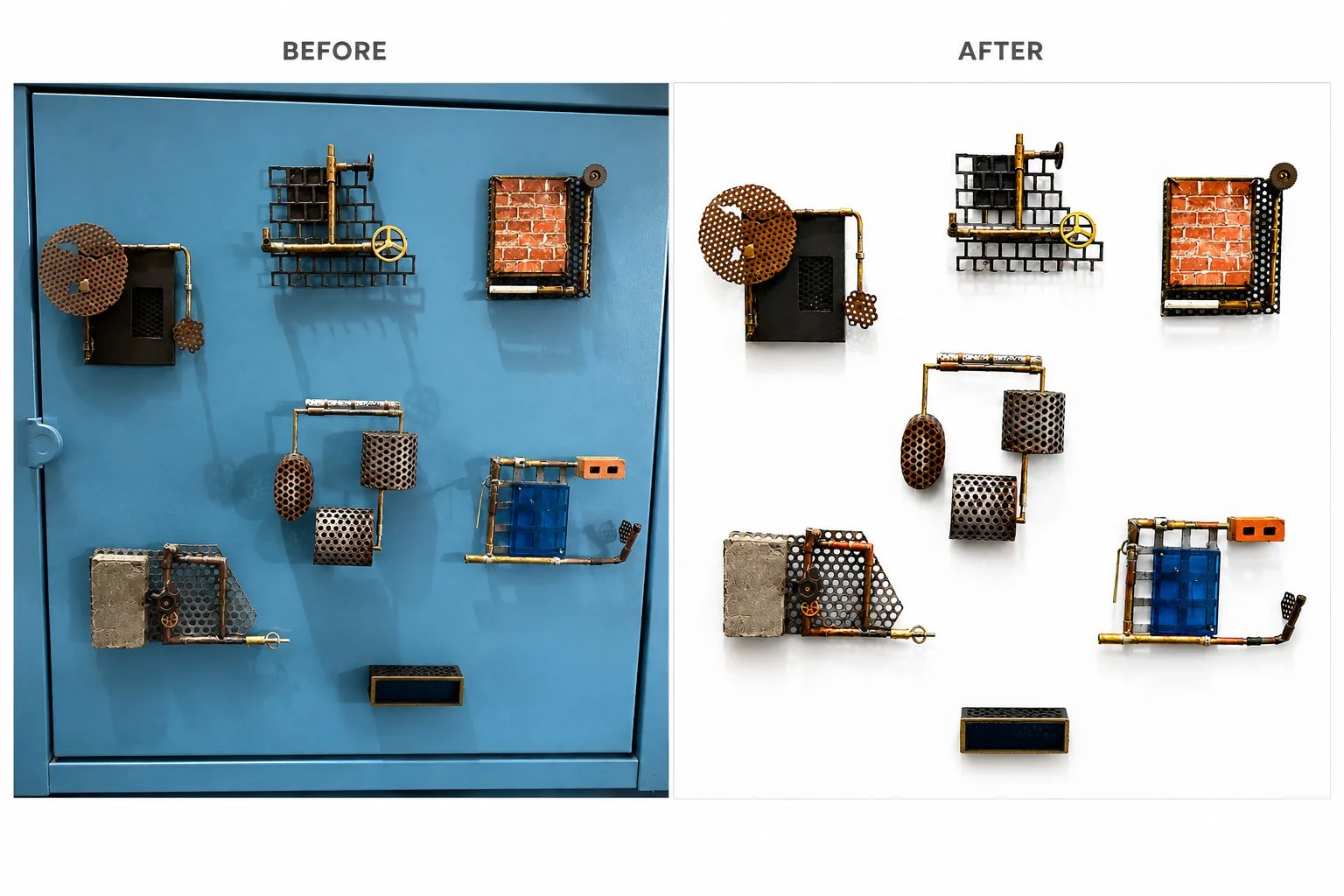
I photograph the actual piece first, often quite simply in my studio, and then use AI to clean or improve the image. And very quickly, the photograph can look “better”.
But recently I have started wondering:
What actually is a better image?
The Problem With Looking Too Perfect
We are used to seeing jewellery photographed beautifully—perfect lighting, clean reflective surfaces, sharp details and flawless backgrounds.
And I like this look too.
For much of my jewellery, it works extremely well. Silver becomes brighter, stones stand out and the work immediately looks more polished and professional.
But I have also started to wonder whether everything can become too perfect.
If every jewellery image has the same flawless AI-generated appearance, perhaps we will eventually get tired of it. Handmade jewellery can start looking almost like a computer render rather than something that has actually been soldered, filed, hammered, formed and finished by someone's hands.
The perfect image can also become a boring image.
At the same time, I have to be practical.
I make jewellery and I also need to sell jewellery.
If I post an image and someone sees the work, understands it, wants it and eventually buys it, then the photograph has done its job.
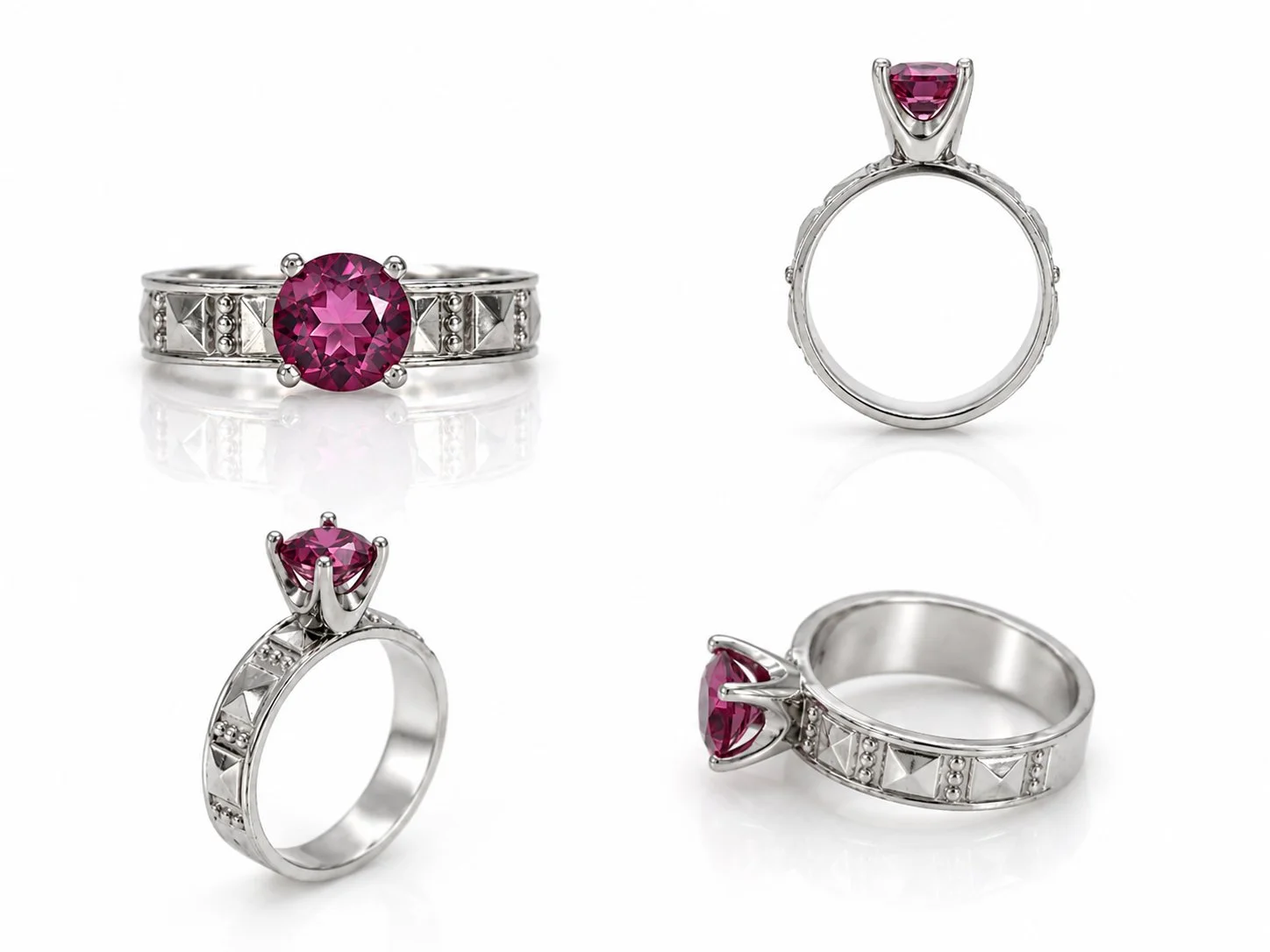
So perhaps a “good” jewellery photograph does not need to be perfectly natural or perfectly polished.
It needs to communicate the work successfully.
Using AI as My Image Assistant
Instead of creating a professional studio photograph every time I finish a piece, I can now take a relatively simple photograph and ask AI to help me present it.
Some of the instructions I regularly use are:
Remove my fingers from the photograph.
Create a clean white reflective background.
Create a dark reflective background.
Straighten the jewellery without changing its design.
Add more space around the object.
Reduce harsh reflections.
Show the jewellery at a realistic scale.
Place a ring on a hand or model to show how it might look when worn.
This has become extremely useful, particularly when I am developing new work.
I can make something at my bench, photograph it and very quickly see it presented in a completely different way.
But this is also where things become complicated.
AI Doesn't Know What It Is Allowed to Change
AI image editing is very different from simply retouching a photograph.
AI does not necessarily understand that the jewellery in my photograph must remain exactly the same jewellery.
A perforation can disappear.
A stone setting can change.
The thickness of a silver edge can become slightly different.
Oxidised silver can suddenly become completely black.
Sometimes AI even interprets a reflection as part of the design and creates a detail that never existed.
The strange thing is that the resulting image can still look beautiful.
Sometimes it looks even “better” than my original photograph.
But it is no longer completely my jewellery.
For contemporary jewellery, these small differences matter.
A solder joint, the thickness of an edge, the way a stone is set or the slight irregularity of a handmade surface are not necessarily imperfections that need to be corrected.
They are evidence of making.
Telling AI What NOT to Do
Through experimenting with image editing, I have realised that prompting AI is often less about telling it what to createand more about telling it what not to change.
One instruction I now use repeatedly is:
“Keep the jewellery exactly as photographed. Do not redesign, simplify or add details. Only change the background, lighting and presentation.”
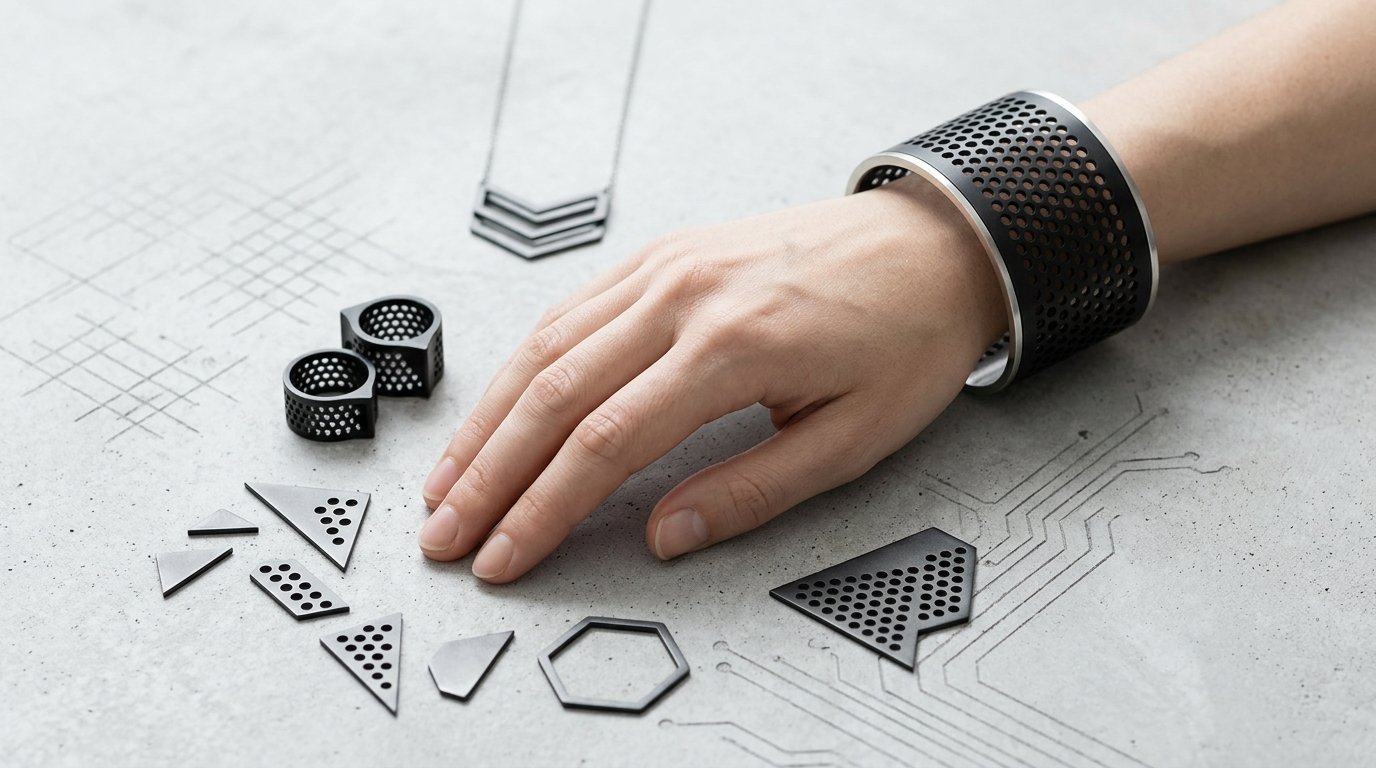
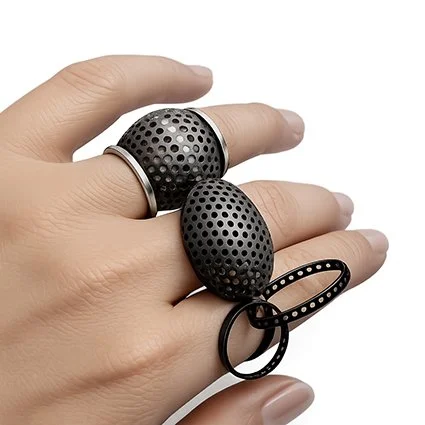
Completely new and different cuff and rings created by AI
Even with this instruction, I still need to check the result against the actual jewellery.
This has become an important part of the process.
I look at the AI image.
Then I look at the object in my hand.
Back to the screen.
Back to the object.
Has the shape changed?
Is the metal still correct?
Is the stone setting the same?
Does this still look like the piece I made?
That comparison is where my own knowledge as a maker becomes essential.
From a Static Image to a Moving Body
Another area I have been experimenting with is showing my jewellery on AI-generated models.
For an independent jewellery maker, organising a professional model shoot every time I make a new ring, earring or brooch is simply not practical.
AI gives me another possibility.
I can take an image of my actual jewellery and experiment with placing it on a hand or body. More recently, I have also been using Gemini AI to create short videos showing models wearing my jewellery.
For me, this is particularly interesting because jewellery is made to interact with the body.
A static photograph can show the object clearly, but a moving image can help communicate scale, movement and how the jewellery might sit on a person.
However, I think there needs to be an important distinction.
A photograph of the actual object documents the work.
An AI-generated model image or video visualises the work in an imagined situation.
I don't think they are the same thing, and I don't want them to become interchangeable.
What the Hand Knows
This experiment brings me back to the larger question behind Hand & Algorithm.
Where does AI actually help me, and where do I need to take control?
After seventeen years of making jewellery, I know my objects very well.
I know when a curve is wrong.
I know when silver looks too smooth.
I know when a stone setting has changed.
I know when the thickness of something is no longer believable.
And sometimes I simply know that an image doesn't feel like my work anymore.
AI can make an image look polished incredibly quickly.
But it cannot stand at my bench, hold the object in its hand and compare the image with the thing that actually exists.
That is still my job.
So perhaps using AI to edit jewellery images is not really about making the perfect photograph.
It is about finding the point where the image communicates the jewellery clearly without replacing the reality of the object.
And sometimes the most important prompt I can give AI is also the simplest:
Don't change the jewellery.
What do you think? Do you prefer the flawless studio look, or do you like seeing jewellery photographed in a more raw and natural way?